Stop guessing.
Start measuring.
The open-source ROI dashboard that ties your Claude Code token spend to actual git output.
See exactly where your tokens go
A beautiful localhost dashboard that breaks down every dollar of your AI spend into actionable insights.
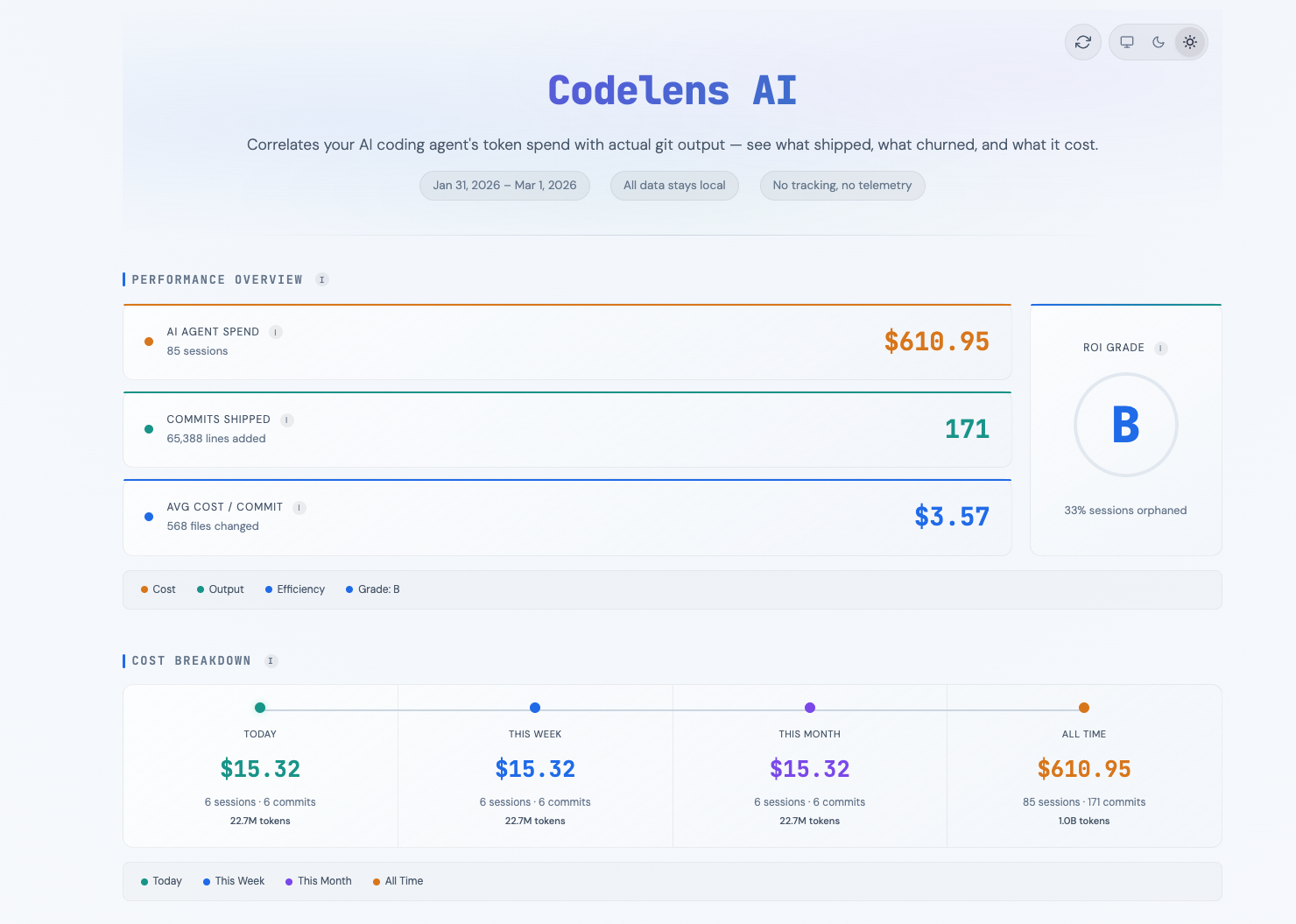
Everything you need to quantify your AI investment
From ROI grades to token-level analytics — comprehensive visibility into your AI coding spend.
ROI Grade
Get an A-F composite score based on cost-per-commit and line survival rate. Know instantly if your AI spend is paying off.
Cost per Commit
See exactly how much each AI-assisted commit costs in tokens. Track spending at the granularity that matters.
Line Survival Rate
What percentage of AI-written lines survive 24 hours without being rewritten? Measure code quality, not just quantity.
Token Analytics
Deep token breakdown: efficiency rate, tokens per commit, cache savings, input vs output ratios. Know where every token goes.
Model Comparison
Compare cost and efficiency across Claude model families — Opus, Sonnet, and Haiku. Find the best model for your workflow.
Productivity Heatmap
GitHub-style activity grid showing your peak coding hours. Discover when AI-assisted development is most productive.
Session Analysis
Identify orphaned sessions — conversations with 10+ messages that produced zero commits. Eliminate wasted spend.
Cost Breakdown
Track spending over time: today, this week, this month, all time. Spot trends and control your budget.
Zero Config
One command. No setup. No API keys. Just run npx claude-roi in any git repo where you've used Claude Code.
Privacy First
All data stays on your machine. Zero telemetry. Zero cloud. Reads only local session files and git history.
From terminal to insight in seconds
Three steps. Zero configuration. Complete visibility.
Install & Run
Run npx claude-roi in any git repository where you've used Claude Code. No config files, no API keys, no setup required.
Analyze
CodelensAI reads your local Claude Code session files and correlates them with your git history using file overlap and timestamps.
Optimize
Get an interactive dashboard with your ROI grade, cost-per-commit, line survival rate, and actionable insights to optimize spend.
“I built this because I was spending hundreds on Claude Code and had no idea if it was worth it. CodelensAI gives you the answer in one command.”
Up and running in seconds
One command. No config files. No API keys. No setup.
Or install globally:
CLI Options
--days 90Analyze last 90 days (default: 30)--port 8080Custom port (default: 3457)--jsonOutput metrics as JSON to stdout--project <name>Filter to a specific project--refreshForce full re-parse, ignore cacheCodelensAI is free and open source.
Built by developers, for developers.
MIT Licensed · 3 dependencies · 163 kB unpacked